Wireum Map
Your fleet, live.
On your brand. Everywhere.
A beautifully branded live flight tracking map for your airline — built to deploy on your website, your mobile, your airport screens, and anywhere else your passengers look up a flight.
Try it now with a sample airline
Click a flight, open the landings board, try it on your phone. When you're ready, we'll show the same map with your airline's brand and real fleet.

Ilvara is an imaginary airline we built to show Wireum Map in action: a branded map, moving aircraft, flight detail and a landings board. The flights are simulated.
Why airlines choose it
Built for airlines, loved by passengers.
Most airlines either hide flight tracking behind a third-party widget or skip it entirely. We give you a flight map worth showing off.
A brand moment, not a widget
Passengers don't see a third-party tracker. They see your airline — your logo, your colors, your domain. Every interaction reinforces the brand.
The passenger experience you'd want to use
Beautiful, fast, real-time. Flight detail with route, weather, terminals, gates, and aircraft photos. The kind of map passengers screenshot and share.
One product, every channel
Your website, your app, airport kiosks, meet-and-greet screens, embedded in third-party sites, tracking links for friends and family. One source, everywhere.
Compare
Branded flight map vs public flight tracker
Linking passengers to a public flight tracker is the quick option. A branded map is the one that keeps them with you.
-
Brand
Wireum Map: Your logo, colors and typography
Public tracker: The tracker's brand
-
Domain
Wireum Map: Your website or your own subdomain
Public tracker: The tracker's website
-
Where passengers end up
Wireum Map: They stay with you
Public tracker: They leave your site
-
Flights shown
Wireum Map: Your fleet, presented your way
Public tracker: All air traffic, presented the tracker's way
-
What passengers see next to the map
Wireum Map: Your content, offers and partner programs
Public tracker: The tracker's content and ads
-
Airport, lounge and office screens
Wireum Map: Full-screen kiosk mode and a landings board
Public tracker: Generic screens, not built around your fleet or brand
-
Control
Wireum Map: You configure layout, access and look from an admin dashboard
Public tracker: Little or none beyond the link
| Aspect | Branded map (Wireum Map) | Public flight tracker link |
|---|---|---|
| Brand | Yes: Your logo, colors and typography | No: The tracker's brand |
| Domain | Yes: Your website or your own subdomain | No: The tracker's website |
| Where passengers end up | Yes: They stay with you | No: They leave your site |
| Flights shown | Yes: Your fleet, presented your way | Partly: All air traffic, presented the tracker's way |
| What passengers see next to the map | Yes: Your content, offers and partner programs | No: The tracker's content and ads |
| Airport, lounge and office screens | Yes: Full-screen kiosk mode and a landings board | Partly: Generic screens, not built around your fleet or brand |
| Control | Yes: You configure layout, access and look from an admin dashboard | Partly: Little or none beyond the link |
When is a public tracker enough? If you only need to send an occasional link for a single flight and don't mind passengers leaving your site.
Product
What your passengers will see.
A real-time, beautifully presented view of your fleet — the kind passengers actually want to use.
-
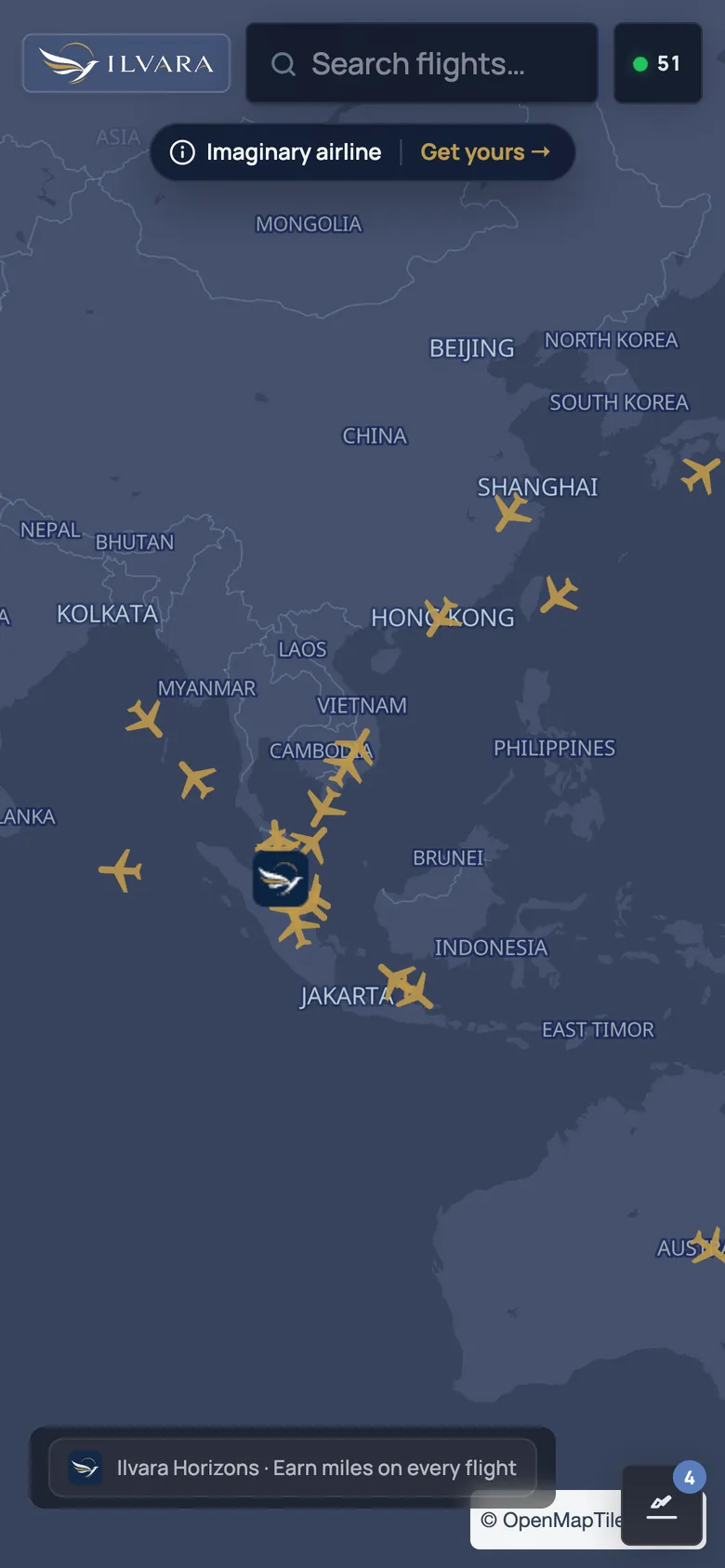
Live aircraft on a beautiful map
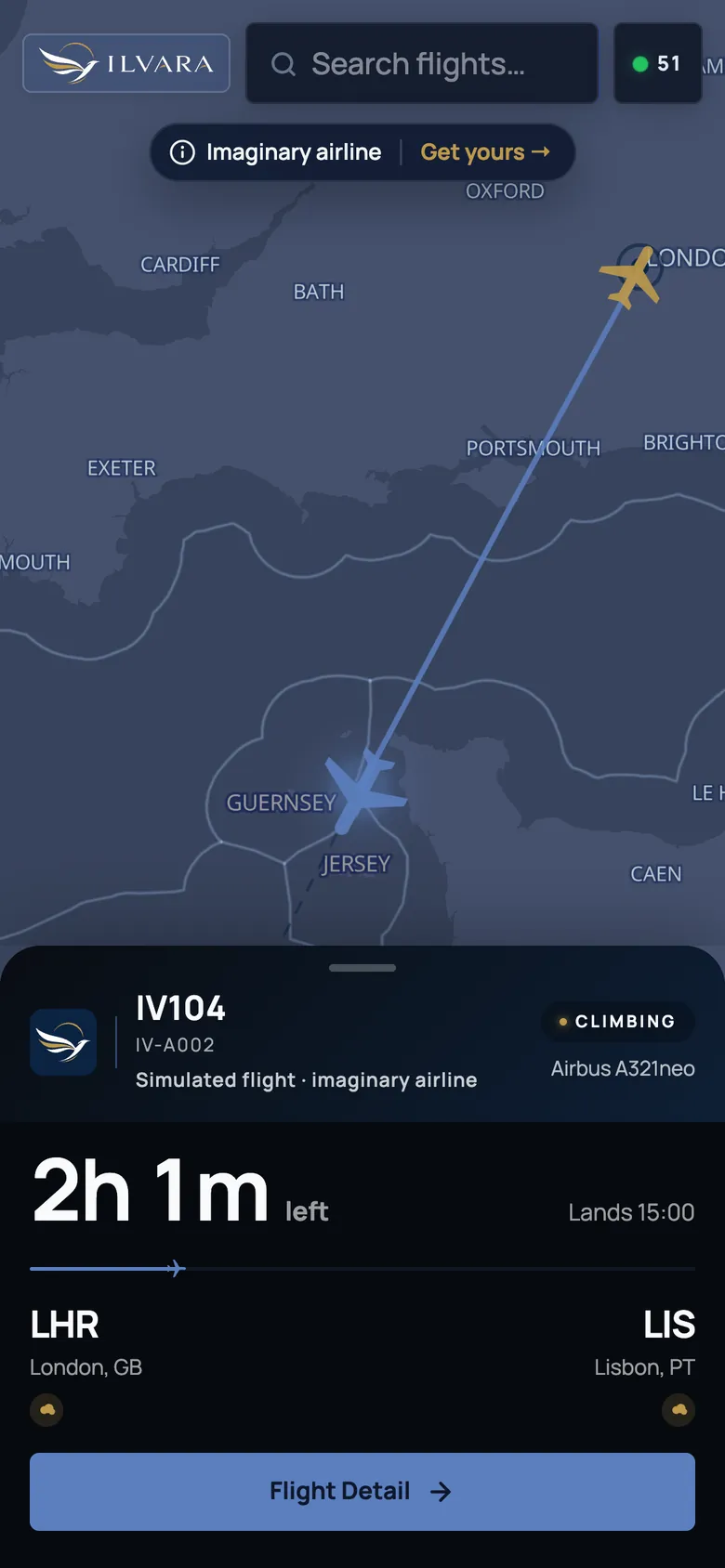
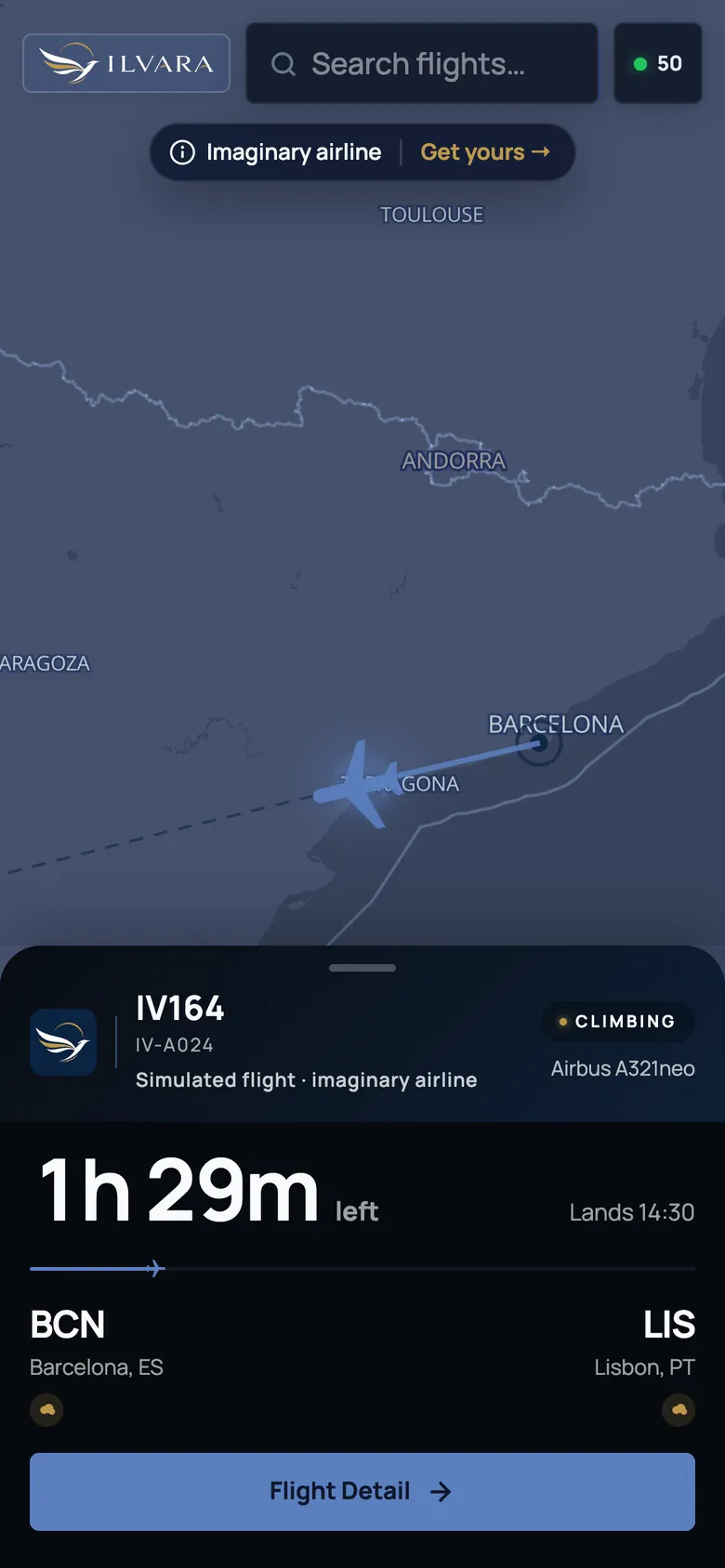
Real-time positions for your fleet, animated smoothly, with route arcs and trails.
-
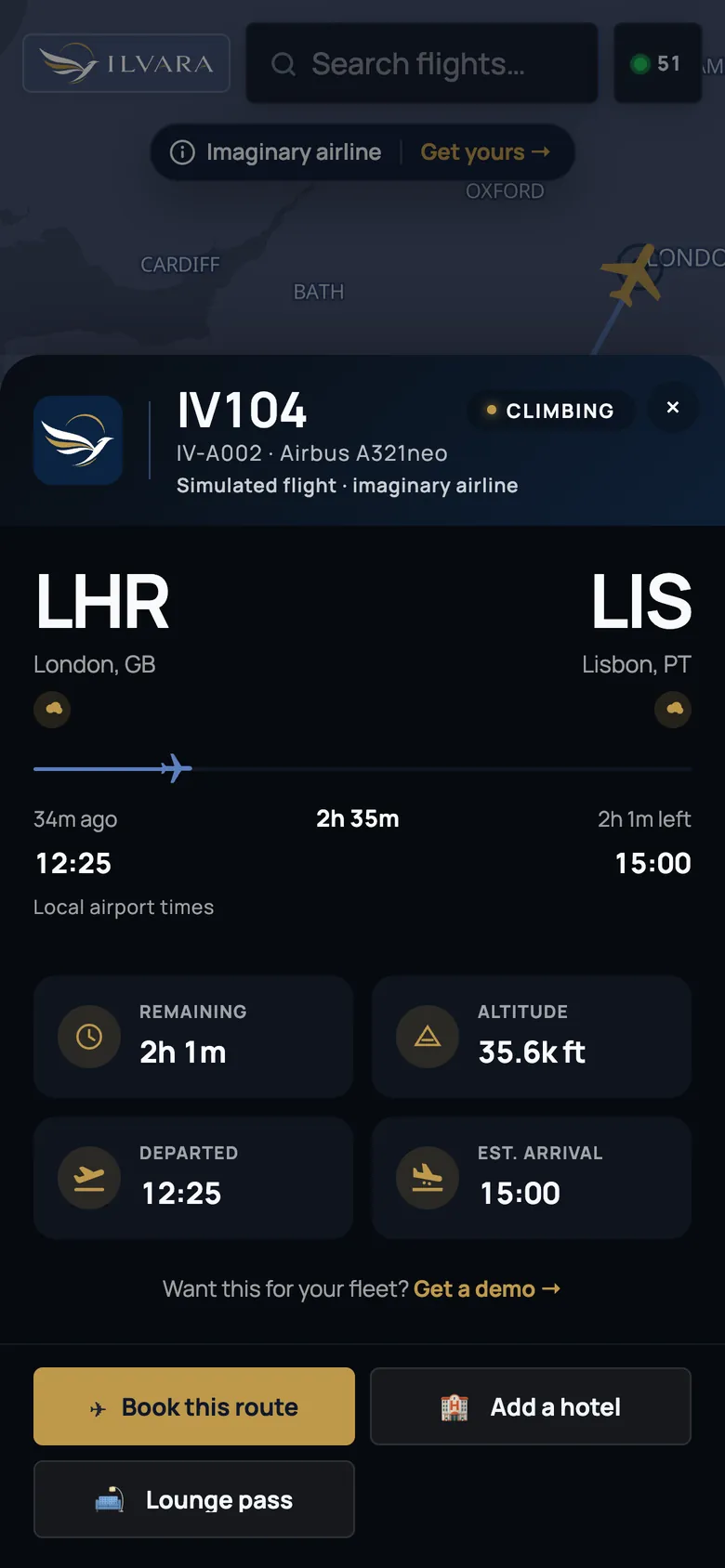
Rich flight detail
Origin → destination, ETA, weather at both ends, terminals, gates, aircraft photos.
-
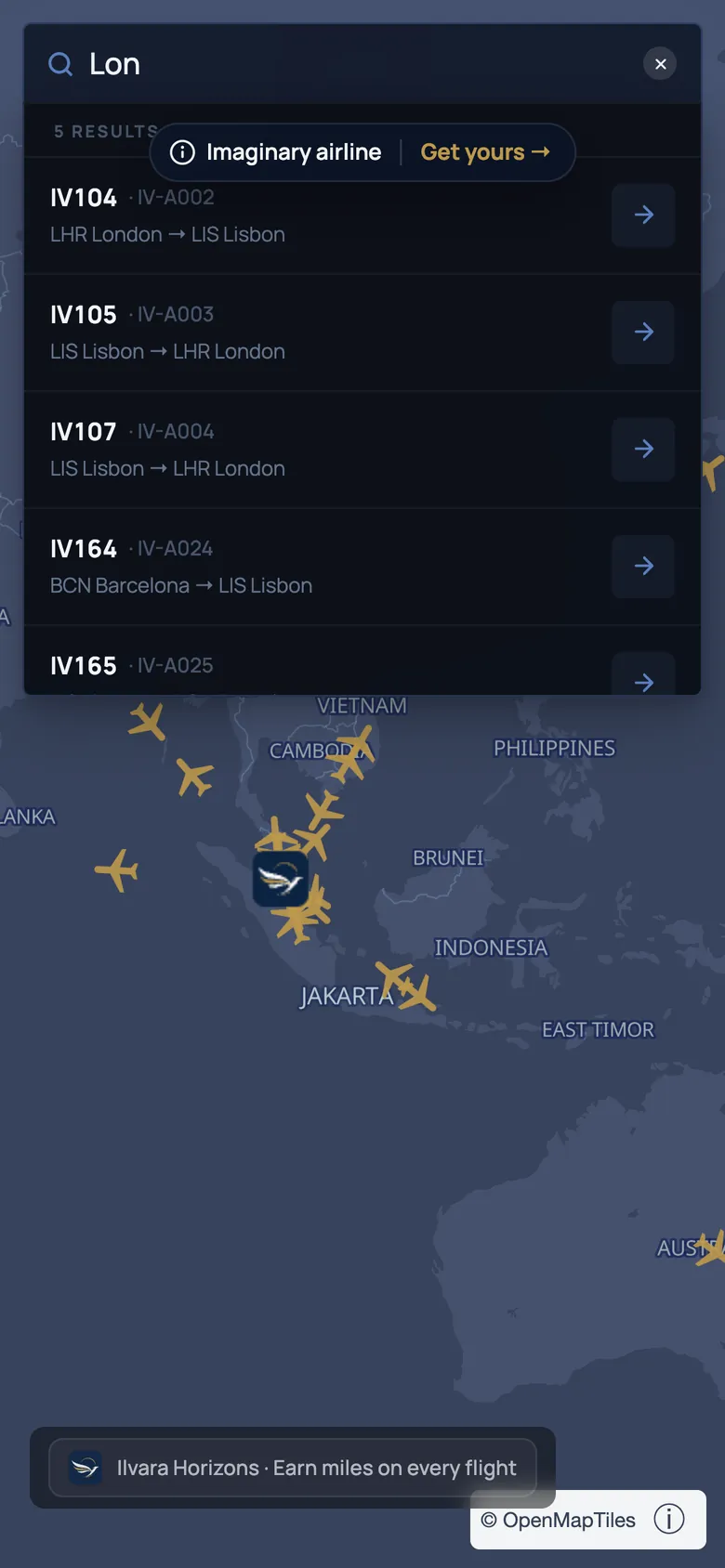
Search built for travelers
By flight number, route, city, registration, or aircraft — passengers find what they want, fast.
-
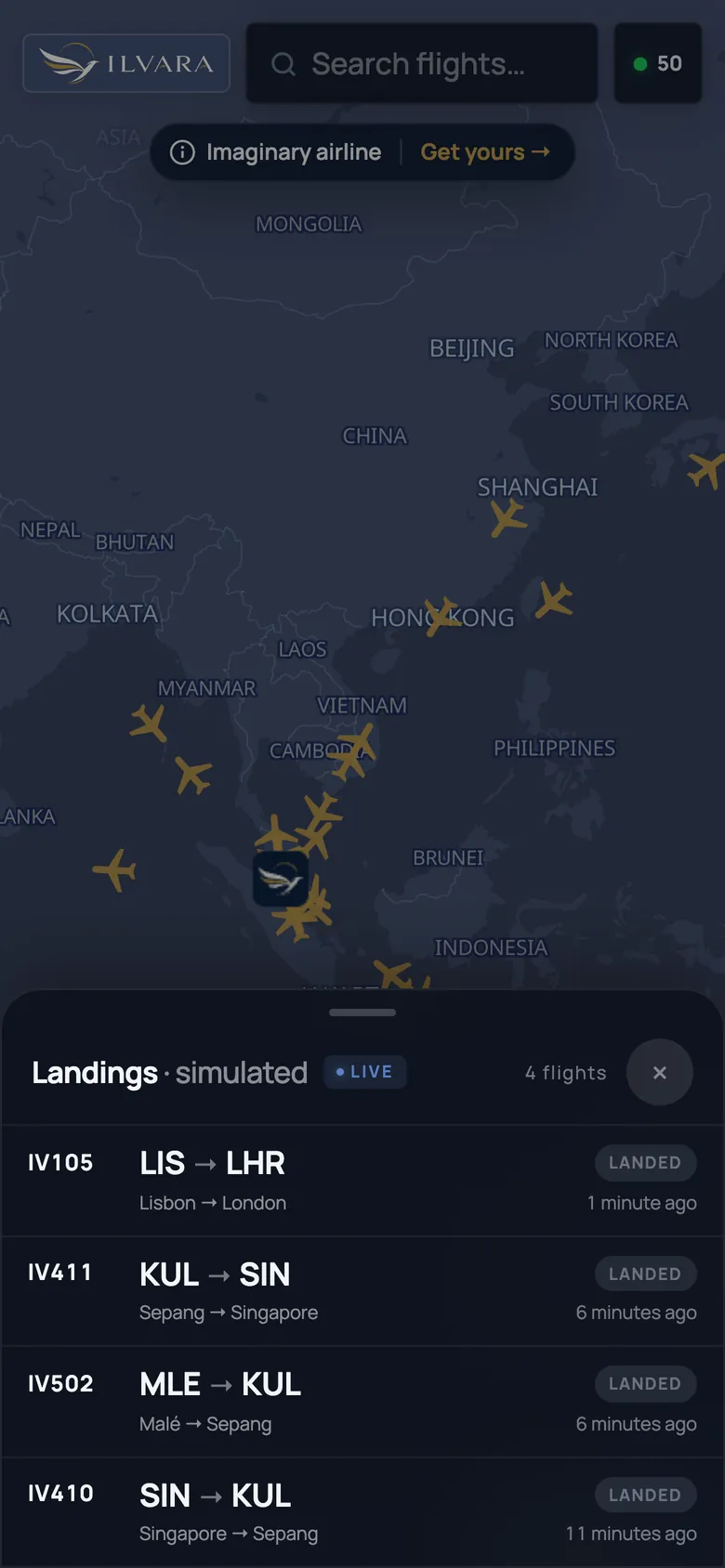
Recent landings board
A built-in arrivals view — side panel or bottom ticker — perfect for meet-and-greet screens.
-
Shareable tracking links
Every flight has its own URL. Passengers share them with family, the airline gets the traffic.
-
Always on, always live
Updates flow continuously, the camera tracks the plane, the experience feels alive — not refreshed.
-
Live aircraft on a beautiful map
Real-time positions for your fleet, animated smoothly, with route arcs and trails.
-
Rich flight detail
Origin → destination, ETA, weather at both ends, terminals, gates, aircraft photos.
-
Search built for travelers
By flight number, route, city, registration, or aircraft — passengers find what they want, fast.
-
Recent landings board
A built-in arrivals view — side panel or bottom ticker — perfect for meet-and-greet screens.
-
Shareable tracking links
Every flight has its own URL. Passengers share them with family, the airline gets the traffic.
-
Always on, always live
Updates flow continuously, the camera tracks the plane, the experience feels alive — not refreshed.
Screens from Ilvara, our imaginary demo airline. The flights are simulated.
Customization
Customize anything.
Configured from a single admin dashboard. Changes propagate in seconds — no redeploy, no engineering ticket.
Brand identity
Logo, colors, typography, iconography — and your own domain. The map feels like your product, not a third-party widget.
Map look & feel
Pick the map theme, choose how flights, routes, and airports are styled, dial in the look until it matches your brand.
Layout & components
Show, hide, or restyle every part of the interface — header, search, arrivals board, flight detail panel.
Access & integration
Public, password-gated, or admin-only. Embed it, deep-link to flights, point it at any airline or fleet you operate.
Deploy anywhere
One map, every channel.
Demo in 24 hours
Your brand, live by tomorrow.
See the map with your logo, colors and real fleet before you commit to anything.
-
Today
30-minute scoping call
We confirm your brand assets, colors, the fleet to show and the address you'd like to preview on.
-
Tomorrow
Your demo URL arrives
Your logo, your colors and your real fleet, live, on a demo URL you can open on any device and share with your team.
-
You decide
Keep iterating, or walk away
Adjust the look and the settings together, or stop there. No engineering on your side, no commitment to go further.
Bonus
Optionally — turn it into a revenue line
The map already pays for itself in brand value. But if you want, a built-in sponsorship layer turns it into a measurable revenue stream too — without changing how passengers use it.
Always-on sponsor slot
A persistent branded placement visible across the whole map.
Per-flight & destination sponsors
Run different sponsors against different flights or destinations.
Partner pins on the map
Place partner lounges, hotels, and attractions directly on the map.
Context-aware CTAs
Surface the right offer at the right moment — weather, route, and phase as triggers.
Turn it on when you're ready. Leave it off entirely if you prefer.


FAQ
Frequently asked questions.
Anything else? Ask us on a call or by email.
What is Wireum Map?
Wireum Map is a white-label live flight tracking map that airlines run on their own website, mobile web, airport and lounge screens and per-flight tracking links, in their own brand and domain, with space to promote the airline's own products and partner programs.
Can Wireum Map be embedded on our airline's website?
Yes. Drop it into any page with a single iframe, run it as a full page, or serve it on your own subdomain. It is responsive by default, so it works on mobile web too.
Can we run it on airport, lounge or office screens?
Yes. It runs full-screen and always on, on any screen size, with a built-in recent landings board (side panel or bottom ticker) for meet-and-greet screens.
Can passengers share a flight with family and friends?
Yes. Every flight has its own URL. You can send tracking links to passengers before departure, and they can share them. No app download is needed.
How much of the map can we customize?
Logo, colors, typography, icons and domain; the map theme and how flights, routes and airports are styled; which parts of the interface are shown; and whether the map is public, password-protected or admin-only. Everything is configured from an admin dashboard and changes go live in seconds, without a redeploy.
How is a branded flight map different from linking to a public flight tracker?
A public tracker sends passengers to another company's website and brand, showing all air traffic. A branded map keeps passengers on your site, shows your fleet in your brand, and lets you decide what appears next to it. If you only need an occasional link for a single flight, a public tracker can be enough.
Can the map help sell our own products?
Yes. The map can promote your ancillaries and partner programs — upgrades, lounge access, loyalty, holiday packages, hotel and car partners, new routes — to passengers and everyone they share their flight with. That reach comes free with the tracking links you already send, so the media budget it replaces stays in house.
How quickly can we see it with our brand?
We set up a branded demo with your logo, colors and real fleet in under 24 hours, with no setup work on your side.
See it live on your brand.
We'll set up a branded demo with your logo, colors, and your real fleet in under 24 hours. No commitment, no setup work on your side.